
Introduction
Synergy SKY offers all the features you are used to, in a familiar format. This guide explains some of the different layouts and how to change between them using various methods.
To configure the "Meeting Controls" button, contact your admins and use this guide
How to Change Layout
Control Panels
-
If you have the meeting controls button; press it and you will be able to change the layout from there
After pressing the button, this will appear
Press the layout button to switch between the different layouts
GO (via mobile phone)
Simply press the arrows to the left and right on the Layout button, which you can find on the bottom of the screen
Different Layouts
Single Screen: Speaker View
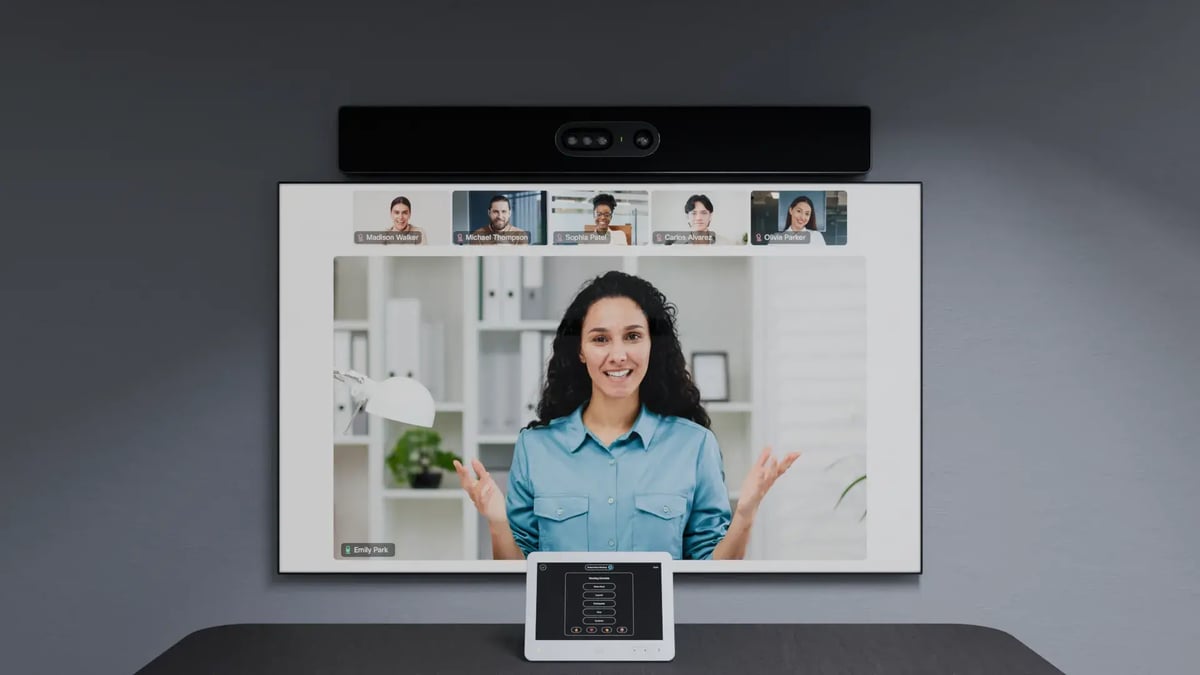
Cisco Room Kit showing active speaker layout in a Microsoft Teams meeting. Layout control is available via the in-room touch panel.
Single Screen: Speaker + Presentation
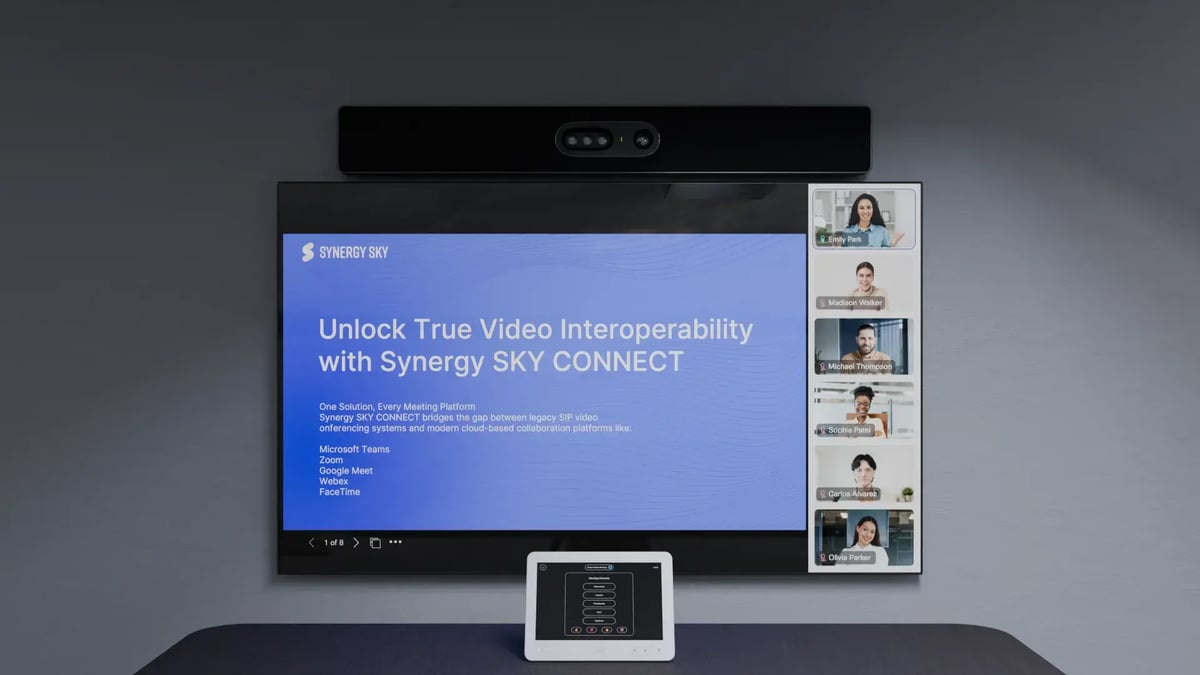
Cisco Room Bar showing a PowerPoint Live presentation with active speaker view. Synergy SKY CONNECT supports all methods of screen and app sharing.
Single Screen: All Interactive Features
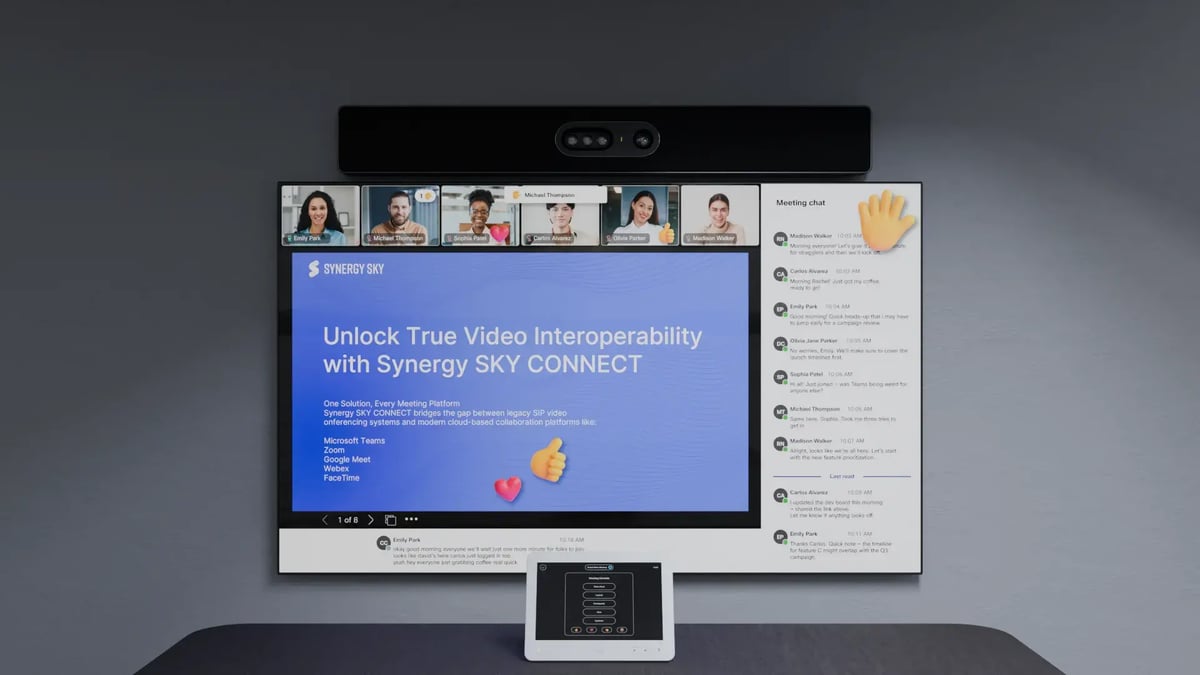
All Teams meeting features displayed on a single screen: Raise Hand, Layout Switch, Chat Panel, Participant List, Captions, Emojis — all controllable via Cisco Touch, third-party control panels, or GO on mobile.
NOTICE: Dual Screen is as of now not supported on Zoom video meetings
Dual Screen: Speaker View
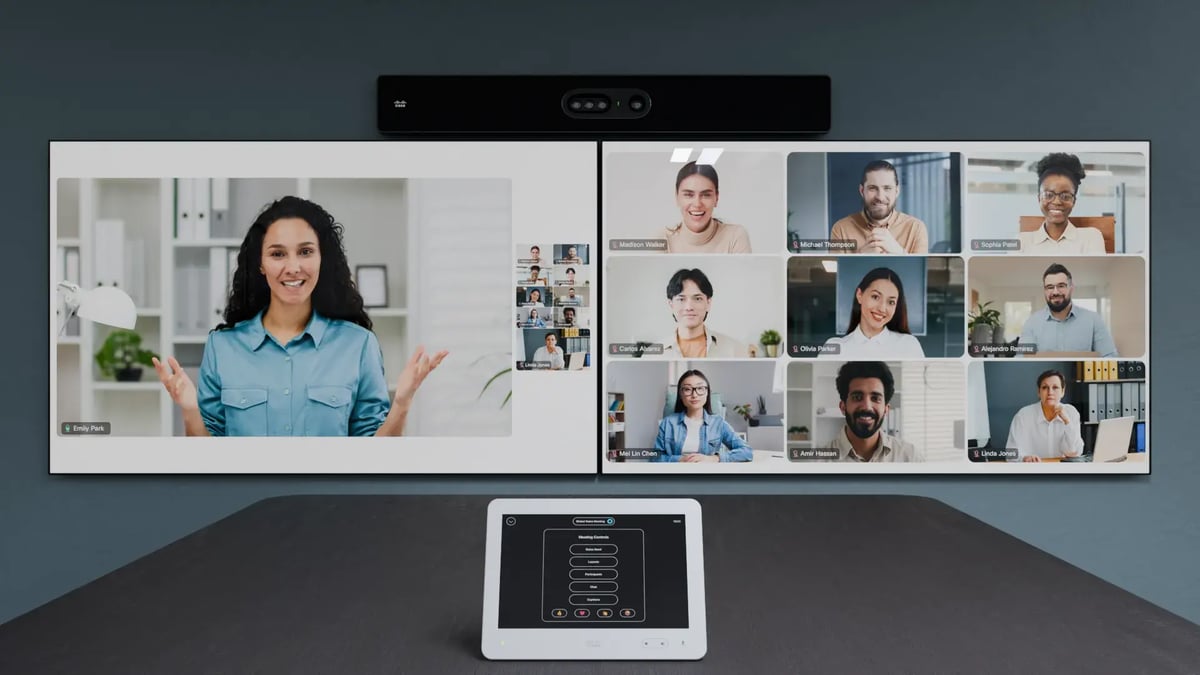
Cisco Room Kit showing active speaker layout in a Microsoft Teams meeting. Layout control is available via the in-room touch panel.
Dual Screen: Speaker + Presentation
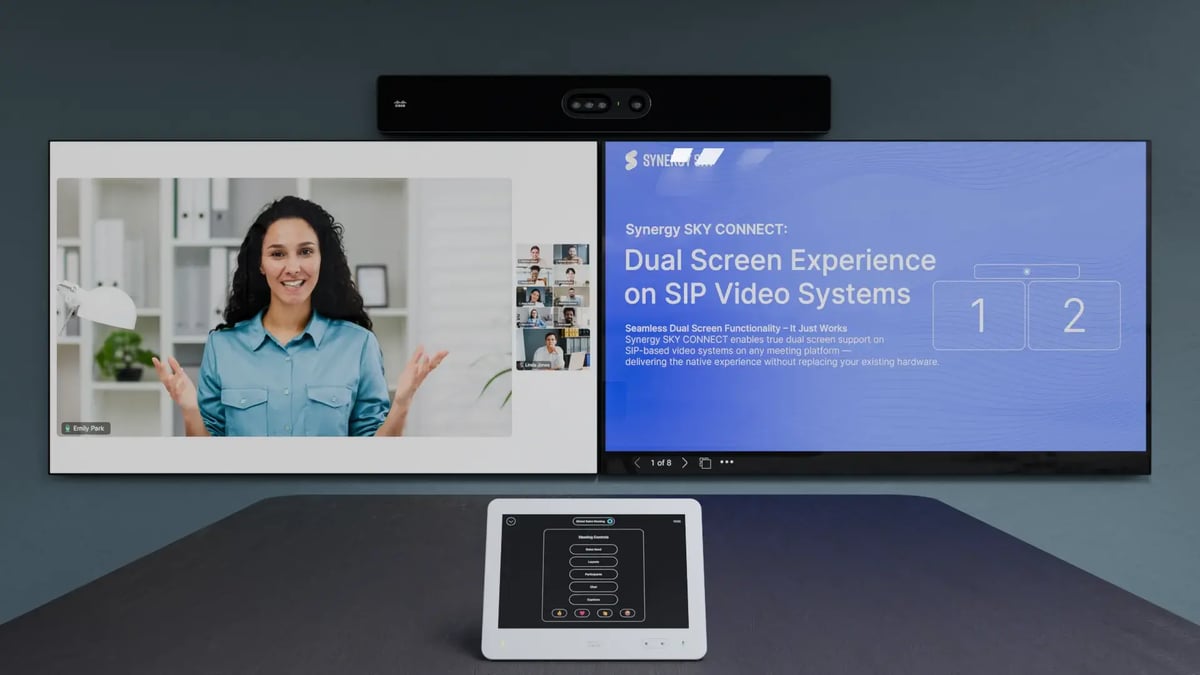
Cisco Room Bar showing a PowerPoint Live presentation with active speaker view. Synergy SKY CONNECT supports all methods of screen and app sharing.
Dual Screen: All Interactive Features
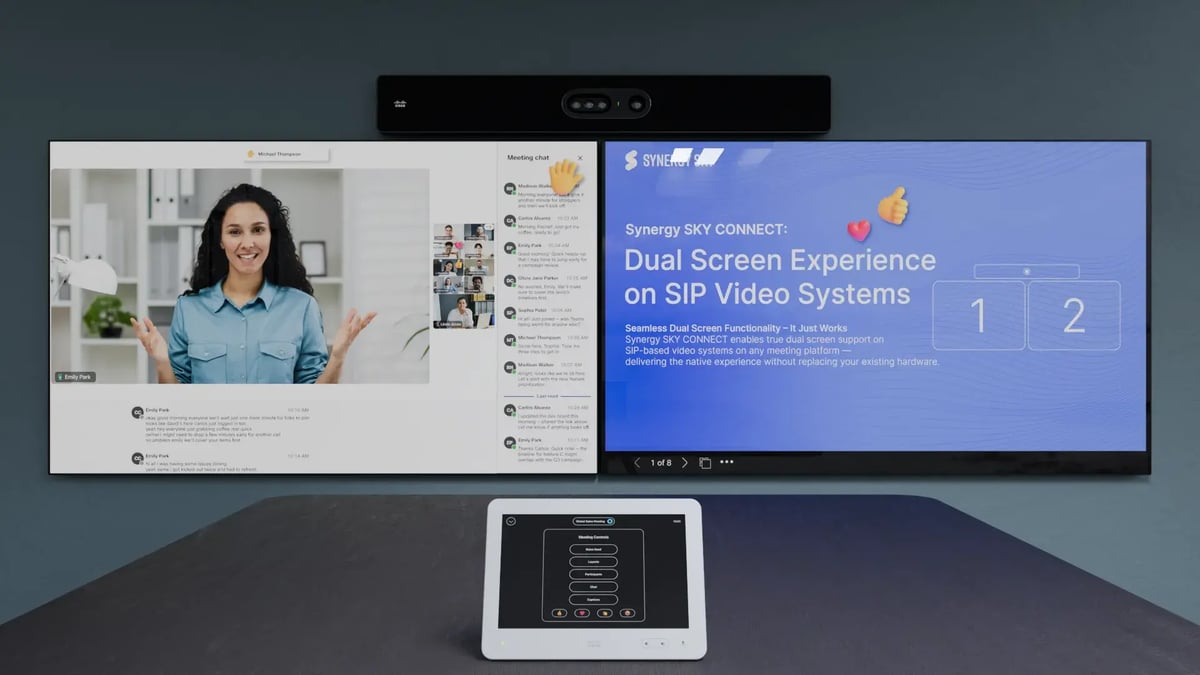
All Teams meeting features displayed on a Dual screen: Raise Hand, Layout Switch, Chat Panel, Participant List, Captions, Emojis — all controllable via Cisco Touch, third-party control panels, or GO on mobile.
Trueview
TrueView is all about delivering a consistent and familiar meeting experience — without any added complexity. It’s already fully integrated into the Synergy SKY platform, so there’s no need for extra setup or configuration.
With TrueView, your meeting room behaves just like the video conferencing experience you're used to on your PC. Whether you're using Microsoft Teams, Zoom, or Google Meet, the interface, layouts, and interactive features stay exactly the same — providing a seamless transition from desktop to meeting room.
No confusion. No training required. Just the full native experience, now available on your SIP video conferencing systems.